Electronic Sound Art

Electronic Sound Art

Electronic Sound Art

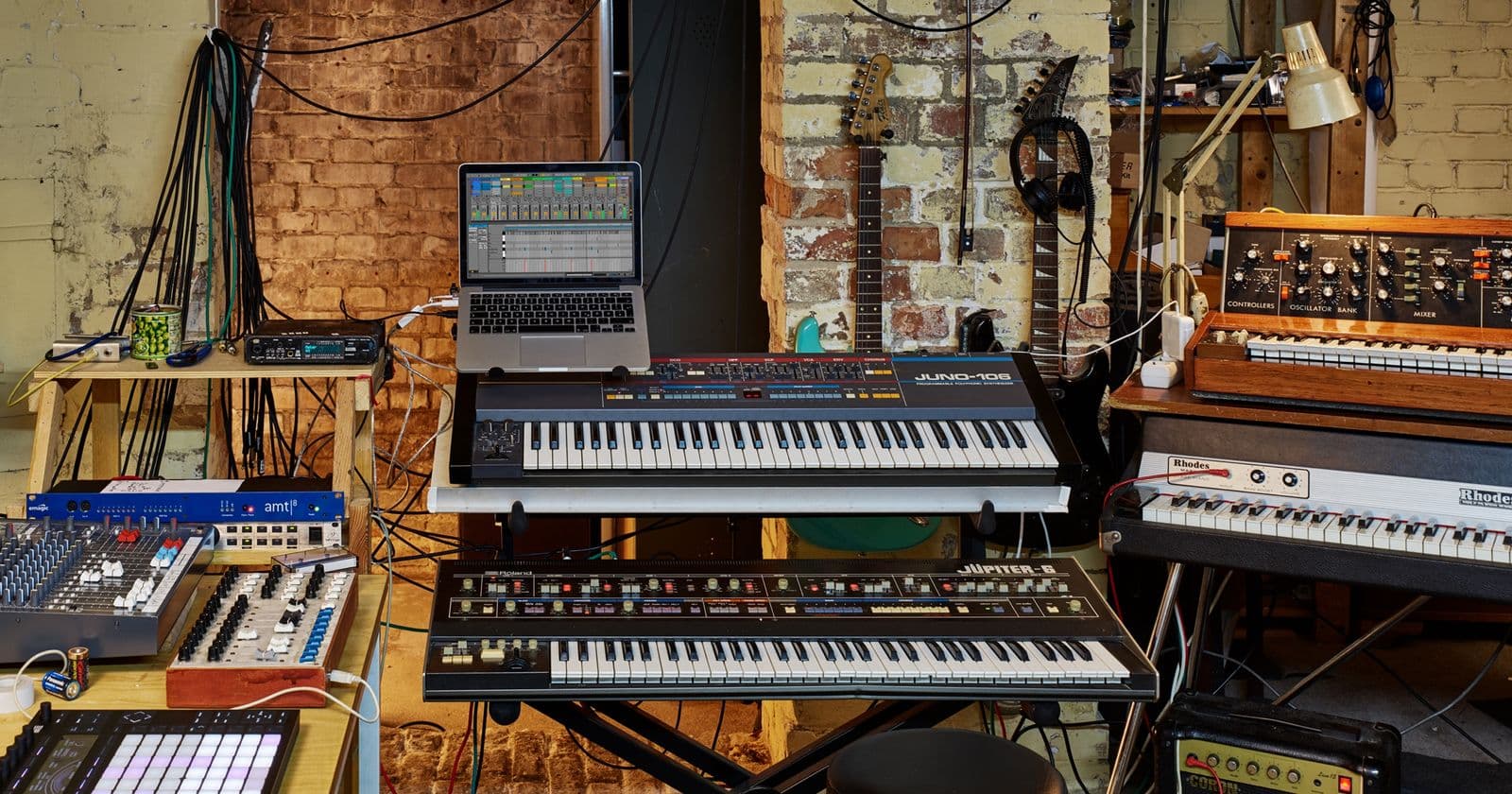
Bend electronic instruments to your will: Create your sound in any DAW, and learn the tricks of the trade from House, Techno, Tech-House to EDM and Bass.

  • Learn to step sequence from the pros
  • Master creative use of digital effects to create exciting transitions
  • Layer elements to create unique and massive drum sounds
  • Make sub-shattering bass parts
Overview
Gear
Advanced Synthesis
Drum and Groove
Drum Sounds
Compositional Tools
Mixing Considerations
Advanced Editing
Tweak It!

If you have any questions, feel free to send us a message or call (347) 746-4604 before booking.

18 Hours | In-Person: $599 + $200 ($100 early bird) Registration Fee | 33% off Live Online

Use the ‘CONNECT’ button below to request more info on our upcoming planned schedules for LA in PT and NYC in ET. One of our placement experts will follow up with information and find a time for an assessment call to get you in to the most suitable program we have for you.

Check out the student feedback from our longer 360° Academy ↓

Testimonials

From the Blog

  • Additive in CMI V

    Additive and spectral synthesis in Arturia's CMI V - the history of the Fairlight CMI, building sounds from harmonics, evolving timbres over time, resynthesis and sampling, and the Page R sequencer.

  • Advanced Editing: Tempo Manipulation and Bounce in Place

    Creative time and resampling techniques - time-stretching and its artefacts, half-time and double-time, tempo automation, varispeed, and bounce in place as a sound design tool for committing, stacking and transforming audio.

  • Audio Effects: Delay, Reverb, Filter, Compressor and Preamp

    The core effects as sound design tools, with Arturia's recreations of classic hardware - tape delay, plate reverb, filters, FET compression and console preamps - what each classic unit did, and how to use them creatively.

  • Back Up Your rekordbox Library, and Practise With One Hand

    How to back up and restore a rekordbox library, keep it findable with My Tag and intelligent playlists, and the one-handed drills that fix your hand order.

  • Best Midi Controllers for Producers on the Move

    The excuse of being ‘stuck in the studio’ can be a poor one. For electronic music producers and DJs, portability is key to a successful career. For example do you remember the dancefloor killer ‘Groovejet’ by Spiller featuring Sophie Ellis Bextor? Well not only did it go to number one in 4 countries selling 600k in the UK alone, but also the track name comes from the fact the instrumental was made on a plane!

  • CDJ Firmware, rekordbox Updates and Beatmatching Without a Screen

    Why a USB that worked last week won't load tonight, carrying CDJ firmware on your stick, saving My Settings, and the drill that makes the screen optional.

  • Compositional Tools: Chords, Melodies, MIDI and FX

    Writing with electronic instruments - chord voicings and progressions for electronic music, melodic hooks, scale and chord tools, arpeggiators and MIDI effects, and using effects as compositional devices.

  • Creative Audio Effects

    Effects as sound design - distortion and saturation, filters and movement, delay as an instrument, reverb beyond space, modulation effects, pitch and granular effects, resampling, and building effect chains.

  • DIY Home Recording Studio Tips

    As early as 2010, if you wanted to put together an album you were pretty much forced to shell out cash to a local recording studio. Or, even worse, you pretty much needed a record deal with a label of some sort.

  • DJ Etiquette, and Your First 40-Minute Set

    How to play a recorded 40-minute set like a gig, and the etiquette that gets you booked again: arrive early, respect the slot, and hand over without dead air.

  • DJM Effects Explained: Colour FX, Beat FX and Slip Mode

    Every colour FX and beat FX on a DJM-900NXS2, what each is for, the order of operations on the hardware, the dos and don'ts, and slip-mode tricks on the CDJ.

  • Drums, Grooves and Patterns

    Building electronic drum patterns that move - kick, snare and hat roles, genre templates from house and techno to breaks and trap, swing and groove, ghost notes and variation, and programming for the dancefloor.

  • Drums: Layering and Sampling

    Building bigger, more distinctive drums - layering for attack, body and tail, phase and alignment, sampling your own hits and found sounds, resampling synth drums, and organising a drum library.

  • Drums: Shaping and Synthesising

    Shaping drum sounds - envelopes, transient shaping, pitch, tuning to the key, EQ and saturation - and synthesising kicks, snares, hats and percussion from scratch, including FM drums.

  • FM Synthesis

    Frequency modulation from John Chowning's discovery to the Yamaha DX7 - carriers and modulators, ratios and modulation index, operators and algorithms, and designing FM bells, basses, electric pianos and percussion.

  • FM in DX7 V

    Frequency modulation in Arturia's DX7 V - operators, carriers and modulators, ratios, levels and envelopes, algorithms and feedback - and building electric pianos, basses, bells and FM drums.

  • Getting Heard: Social Media, Mixes, Press Pictures and Gigs for DJs

    Social media that doesn't eat your week, mixes people finish, networking that works, press pictures and a bio, and the one message that gets a warm-up slot.

  • Granular and Additive Synthesis

    Two advanced methods of sound sculpting - granular synthesis, which builds sound from tiny grains of audio, and additive synthesis, which builds sound from individual harmonics - with the controls, the tools, and techniques for each.

  • Granular in Pigments

    Granular synthesis in Arturia Pigments - loading samples, grain size, density, position, pitch and spray, freezing and scanning sounds, and turning recordings into pads, textures and rhythmic glitches.

  • Hot Cues, Memory Cues and Active Loops: A Clean Mix on CDJs

    Set hot cues, memory cues and active loops in rekordbox, format a USB any CDJ reads, set trim by the meters, and when to use quantize and master tempo.

  • How a DJ Booth Is Wired, and How to Beatmatch by Ear

    Wire CDJ-3000s and a DJM mixer with PRO DJ LINK, beatmatch with the screens covered, read phrases in the waveform, and know exactly where to mix in and out.

  • How to Record a DJ Mix, and Master It for Upload

    Four ways to record a DJ mix, planning a set from rekordbox histories, how to review a mix, and mastering it to -10 LUFS for Mixcloud and SoundCloud.

  • How to Set Up rekordbox and Take Your First Mix to the CDJs

    Where DJs buy music, setting up rekordbox, fixing beat grids, the Camelot wheel, exporting to USB, and every control on a CDJ-3000 and a DJM mixer.

  • Instrument and Effect Layering

    Building big, unique sounds by layering instruments and effects - layering for range, character and movement, splitting roles across the spectrum, parallel effects, and keeping layers clear.

  • Make This: Four Beats

    The Electronic Sound Art project - four complete beats, from a straight four-on-the-floor groove and a broken beat to two styles of your choice, each with self-designed sounds and a sound design log.

  • Mixing Across Genres: Hard Cuts, Double Drops and Acapellas

    How house, techno, drum & bass, hip-hop and disco each want to be mixed, plus clean hard cuts, swapping drops on the downbeat, and layering acapellas in key.

  • Mixing Considerations: Sidechaining and Distortion

    Two defining sounds of electronic music - sidechain compression and ducking, from subtle space-making to obvious pumping, and distortion and saturation for weight, aggression and translation.

  • Music Video Ideas for Artists — That Aren’t Music Videos

    Did you know that YouTube traffic makes up nearly a ⅕ of ALL internet traffic? Similarly, quite a bit of that is music consumption. It’s also common for labels to upload an audio tracks as video for YouTube,

  • Playing Out: Soundcheck, Reading the Crowd and Going Back-to-Back

    What goes in the bag, matching the last DJ's levels, reading a room, the backup playlist, stage presence, and the rules for going back-to-back.

  • Reaktor Blocks: Modular Synthesis

    Modular synthesis inside Reaktor - what Blocks are, how they mimic a Eurorack-style modular system, patching audio and control voltages, building a patch from oscillators, filters, envelopes, sequencers and modulators, and thinking modularly.

  • Reaktor: A Guided Tour

    What Native Instruments' Reaktor is, Reaktor Player versus the full version, Ensembles, Instruments, Macros and Modules, the Panel and Structure views, snapshots, and exploring ready-made ensembles before building your own.

  • Reaktor: Building Your Own Instrument

    Building a simple subtractive synth from scratch in Reaktor's Primary level - oscillators, mixing, a filter, envelopes, MIDI note and gate inputs, panel controls, polyphony, and saving your ensemble.

  • Review of Synthesis: Subtractive in Pigments

    A synthesis refresher built in Arturia Pigments - oscillators, filters, amplifiers, envelopes and LFOs - using Pigments' virtual analogue engine, its filters and routing, and its modulation system.

  • Sampling in Kontakt

    Building a sampled instrument in Native Instruments' Kontakt - the Mapping Editor, zones, root keys and key ranges, velocity layers, groups and round robins, loops, envelopes and filters, and saving your instrument.

  • Sampling in Maschine

    Sampling, slicing and playing samples on pads in Native Instruments' Maschine - recording, editing, slicing to pads, groups and sounds, the step sequencer and patterns, and building a beat from one sample.

  • Subtractive Synthesis: Envelopes, LFOs and Modulation

    Shaping sound over time - the amplifier, ADSR envelopes for amplitude, filter and pitch, LFO shapes and rates, velocity and mod wheel, the modulation matrix, and recipes for bass, pad, pluck and lead.

  • Subtractive Synthesis: Oscillators and Filters

    The most widely used form of synthesis - start with harmonically rich waveforms and carve them with filters. Oscillators, detune and unison, noise, mixers, filter types, cutoff, resonance and slopes.

  • Summary of Synths: Prophet, Oberheim and Jupiter

    Three legendary analogue polysynths and their Arturia recreations - the Sequential Prophet-5, the Oberheim OB-Xa and the Roland Jupiter-8 - what made each sound distinctive, and how to use them in modern productions.

  • Ten Ways to Mix Across a Big Tempo Change

    Ambient bridges, wide-tempo slowdowns, vinyl brakes, delay outs, spinbacks, washes, rolls and sync loops: ten ways to move between tempos without a train wreck.

  • Tweaky Stuff: Max, the Environment, Hardware and External Gear

    Going deeper - building your own devices with Max for Live and Logic's Environment, integrating hardware synths and drum machines, MIDI and CV, external instrument routing, latency, and hybrid setups.

  • Wavetable Synthesis

    Wavetables and wave position, scanning through a table with envelopes and LFOs, warp modes, building your own tables from audio, and why wavetable synths dominate modern bass and lead design.

  • Wavetables in Serum

    Xfer Serum's wavetable workflow - oscillators and wavetable position, warp modes, unison, the sub and noise oscillators, filters, drag-and-drop modulation, importing and drawing wavetables, and designing modern basses and leads.

  • Welcome to Electronic Sound Art: The Toolkit

    What this course covers - bending electronic instruments to your will in any DAW with Arturia's instruments and Xfer's Serum - plus the typical tools, favourite plug-ins and setup you need before you start.

  • What Is Sound?

    The physics a sound designer needs - vibration and waves, frequency and pitch, amplitude and loudness, wavelength, harmonics and timbre, phase, and the envelope of a sound - and why every synth control maps to one of them.