Roar is the big one, and it has its own chapter. This is everything else Live gives you for making a sound dirty — six devices, each with a different kind of dirt, and knowing which is which saves a lot of knob-twiddling.
Start here: Saturator
The default choice, and the one to reach for when you want something to sound *more* rather than *different*. Drive pushes the signal into the curve; the curve type sets the character.
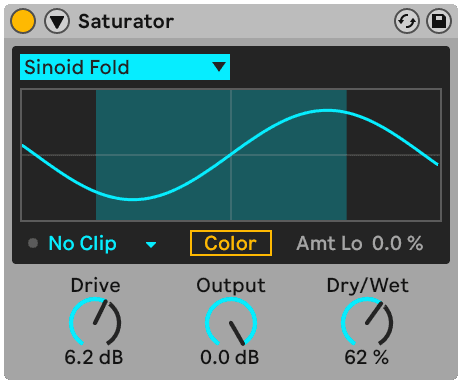
Analog Clip is the softest and the most forgiving on a full mix. Soft Sine adds warmth without much bite. Sinoid Fold and Digital Clip are where it stops being subtle. The Waveshaper setting opens six extra controls and will happily destroy anything you feed it.
The one control people miss is the Base / Frequency / Width filter in the Colour section. It filters what gets driven, not what comes out — so you can saturate only the low mids of a bass and leave the top clean. That is the difference between a bass that cuts through and a bass that is just loud.
Overdrive: the one with a filter in front
A guitar-pedal-style overdrive with a band-pass filter before the distortion stage, so you choose which frequencies get mangled. Drag the filter band in the X-Y display while the track plays.
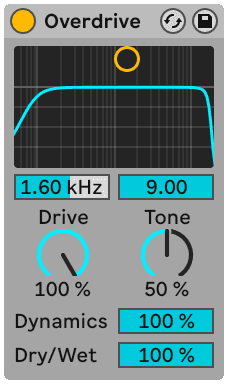
Better than Saturator on drums when you want the distortion to bite the snare and leave the kick alone. Dial the band onto the snare's frequency and push Drive.
Redux: bit crushing and downsampling
Two separate destructive processes in one device, and they sound nothing alike.
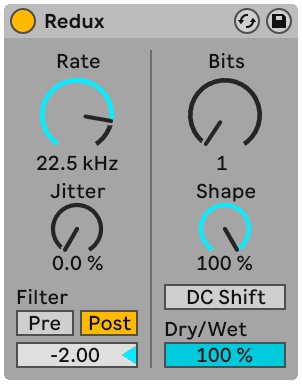
- Bit reduction throws away amplitude resolution. Low settings sound gritty; very low settings sound like an early sampler, because that is exactly what they are doing.
- Downsampling throws away time resolution. It adds aliasing — harmonics that were never in the sound and are not related to it — which is the harsh, metallic, distinctly digital sound.
Try downsampling on a hi-hat and bit reduction on a pad. Then swap them and hear why they are separate controls.
Dynamic Tube: distortion that responds to playing
A tube emulation with an envelope follower built in, so how much distortion you get depends on how hard the signal hits it. Quiet parts stay clean, loud parts break up.
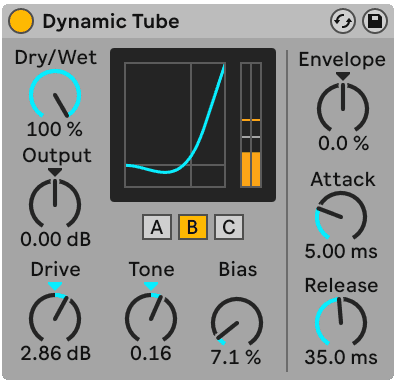
The Bias control sets where the tube sits, and the Envelope amount decides how far the signal pushes it. Set a negative envelope amount and it does the opposite — cleaner as it gets louder. That is not a real tube behaviour and it is very useful.
Pedal and Amp: the guitar chain
Pedal models three overdrive circuits — Overdrive, Distortion and Fuzz — with a Sub control that keeps the low end from disappearing, which is what most distortion pedals do to a bass.
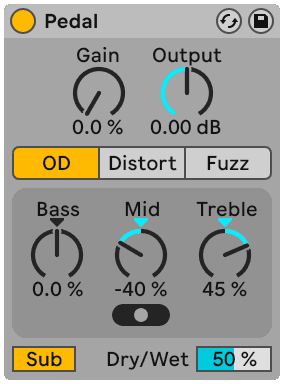
Amp and Cabinet belong together and are usually the wrong tool unless you actually want an amp. But run a synth bass or a drum loop through a cabinet on its own, with no amp, and you get a sound that is very hard to fake with EQ — the cabinet is doing complicated resonant filtering that no EQ curve is going to match.
Vinyl Distortion
The odd one out: it models the distortion a record player adds rather than the distortion an amplifier adds. Tracing Model is the crackle and needle noise; Pinch adds a stereo-widening distortion because the two groove walls behave differently.
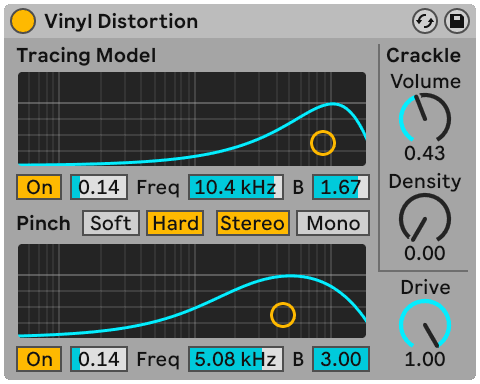
Not a general-purpose dirt box. Very good on a loop you want to sound sampled.
Do this now
- Take a clean drum loop and put Saturator on it. Analog Clip, Drive to about 6 dB. Note how much it thickens.
- Swap it for Overdrive and pull the filter band onto the snare. Same amount of drive, completely different result.
- Add Redux after it. Downsample first, then bit reduce. Take both too far, then back off until it is musical.
- Now put the whole chain in an Audio Effect Rack and map Drive, Bit Depth and Dry/Wet to one macro.
- Automate that macro across eight bars.
One knob that takes a loop from clean to destroyed, and back. That is the useful version of all of this.