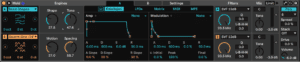
Meld is two macro oscillators side by side. Each one is a whole synthesis method behind a handful of knobs, and the knobs change their job depending on which method you pick — so the fastest way in is to load it and start swapping oscillator types with a chord held down.
The oscillator is the sound
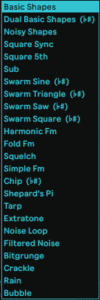
In Analog you choose a waveform and then build the sound with filters and envelopes. In Meld you choose an oscillator type and most of the character arrives with it — the types are designed so their sweet spots are where the knobs already are.
Which means the macro controls are not standardised. Pick a different type and the same four knobs now do something else entirely. Read the labels, or better, just turn them.
Two engines, one instrument
Both oscillators run at once and each has its own filter, pan, tone and volume, plus its own glide and mono/poly setting. Layer a percussive type against a sustained one and you get an instrument with an attack from one engine and a body from the other.
The Drive control at the output saturates the pair together, which is usually what glues them into a single sound rather than two things happening at the same time.
Scale awareness
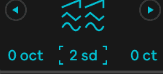
Turn on the Scale function in the Mixer and detuning behaves differently: instead of drifting between notes, the oscillator moves in scale degrees. Detune becomes a harmony control.

On the oscillator types that support it, changing semitones snaps to the scale rather than the chromatic ladder — so you can dial in intervals that stay in key while the track is playing. It is the feature that makes Meld good at chords, and it is worth turning on before you decide you do not like an oscillator type.

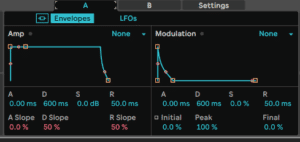
Modulation: two envelopes and two LFOs per engine
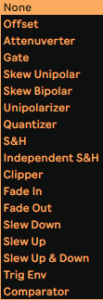
Standard so far. What is not standard is LFO 1, which runs through a chain of LFO effects before it reaches its destination — so the shape you drew is not necessarily the shape that comes out.
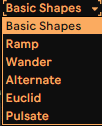
The waveform list is worth a look on its own: alongside the usual shapes there are Euclid and Alternate, which produce rhythmic patterns rather than smooth cycles. An Euclidean LFO on a filter cutoff gives you a rhythm nobody programmed.
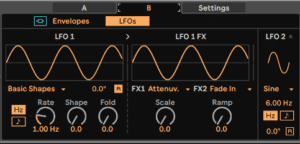
LFO 2 is a plain LFO, for when you want a plain LFO.
Do this now
- Load Meld and hold a chord.
- Cycle Oscillator 1 through every type without touching anything else. Note the two you like.
- Set Oscillator 2 to something percussive and short.
- Turn on Scale in the Mixer, then detune Oscillator 2 by a few semitones. It should harmonise rather than clash.
- Assign LFO 1 with an Euclid shape to Oscillator 1's filter, synced.
- Add Drive until the two engines stop sounding like two things.