Why a stick that worked last week does not read tonight, keeping players and rekordbox in step, and the drill that makes the screen optional.
Software and firmware
A rekordbox library exported by a newer version than the player's firmware understands will not load, or loads without cues. This is the most common cause of a dead stick in a booth, and it is avoidable.
- Update rekordbox only between gigs, never the day of one, and read the release notes for the line that says which player firmware it needs.
- Carry the latest firmware for the CDJ-3000, CDJ-2000NXS2 and DJM on your USB, in a folder called *firmware*. A player can be updated from the stick in the booth in about two minutes, through MENU/UTILITY. Ask before you update someone else's club.
- Know the model you are walking into. The promoter will tell you if you ask; the club's photos will tell you if they do not. Export for the oldest player you might meet.
- Save your player settings to the stick — MY SETTINGS > SAVE on the SHORTCUT screen — so quantize, waveform colour, jog feel and tempo range come with you.
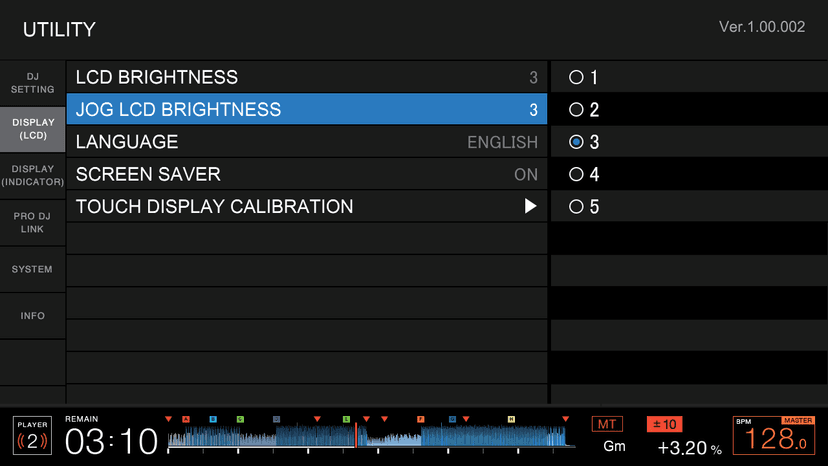
UTILITY: firmware version under INFO, and the update from a USB under SYSTEM.
Beatmatching by ear, for real
Screen covered *and* the tempo readout hidden. No BPM, no waveform, no phrase display — the way DJs learned for forty years.
- Cue the incoming track in the headphones and set the tempo slider by guess, from the sound alone.
- Play it on a downbeat. Listen for the flam (class 3).
- Nudge to correct position; move the slider to correct speed; repeat until it holds for sixteen bars.
- Now do the whole mix in the headphones only, with the channel fader down, and only bring it up when it has held for a phrase.
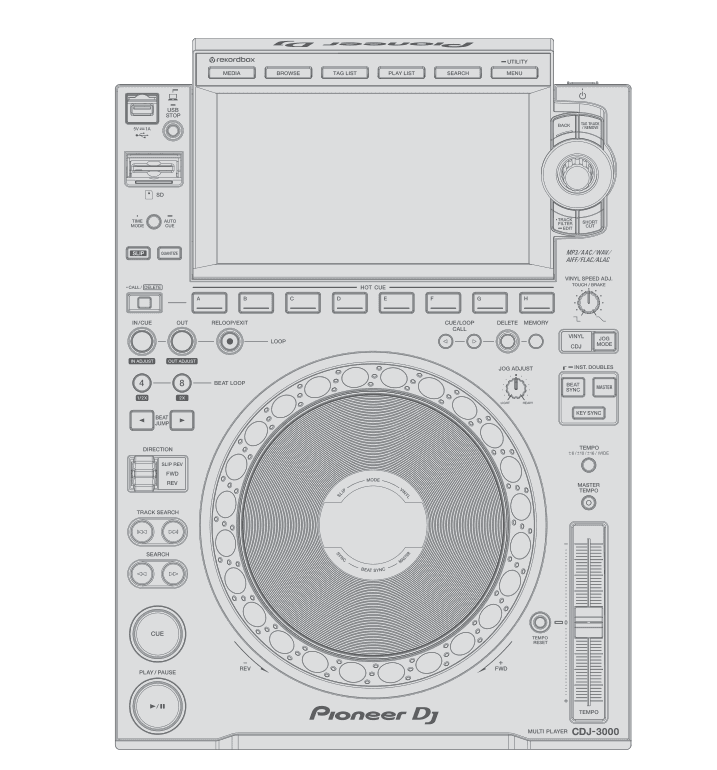
This is what you are learning to play: the deck with the screen off.
You will be slower than with the screen. That is the point. When it is under a phrase, you will never again be stuck on a player whose screen you cannot read.
Do this now
Fifteen mixes by ear, timed. Log the time-to-lock for each. Then update the firmware on the classroom players from your stick, with the instructor watching.