The bag, the soundcheck, reading a room, the backup list, stage presence, and how to go back-to-back without a fight.
The bag
- Two USBs with the same playlists (class 4), and a third with just the bangers list below.
- Headphones with a quarter-inch adaptor, and a spare adaptor.
- A printed or phone copy of your set plan — the screen does not always work.
- A short RCA pair and an Ethernet cable. Booths are missing one or the other more often than you would think.
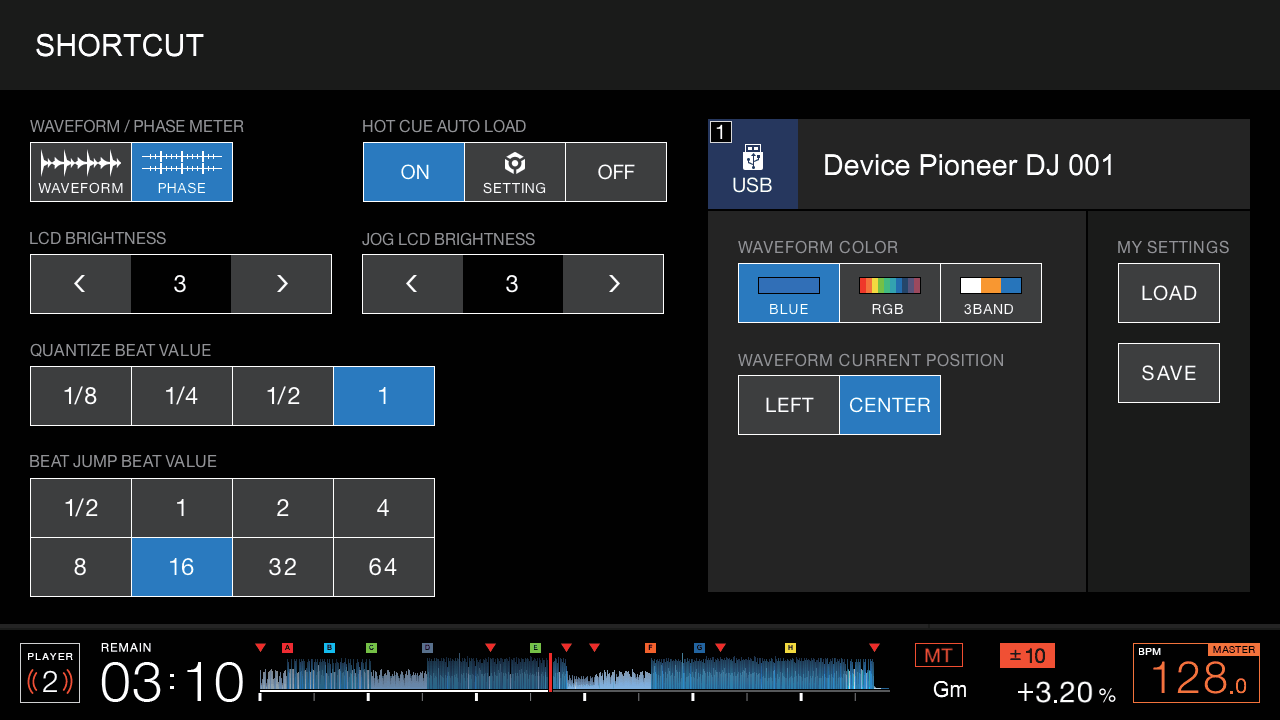
SHORTCUT on the player: load your saved My Settings from the USB and every player is set up your way in one press.
Before you play
- Arrive an hour before your slot. Find the promoter, the sound engineer and the toilets, in that order.
- Plug your stick into a player that is *not* being used and check it reads. Load your first track and cue it silently in headphones.
- Check the channel and master meters on the DJ before you: that is the level the room is set for. Match it. Do not be the DJ who is 6 dB louder.
- Look at the tempo range and master tempo state you are inheriting. Set them to yours on your own player only.
Reading the crowd
Watch feet and shoulders, not phones. Shoulders moving on the two and four means the tempo is right; feet leaving means it is wrong or you dropped the energy. Change one thing at a time — tempo, then energy, then genre — and give each change two tracks before you judge it. Peak-time tracks in the first half hour do not work; they just remove the peak.
The backup playlist
One playlist of fifteen tracks that have never failed, in one key range and one tempo, exported to its own stick. It is for the night the room is dying or a stick fails. If you never play it, good.
Stage presence
Stand up, face the room, and look at people. Nod when a track lands. Do not stare at the screens — you set your cues in class 2 so you would not have to. No headphones round the neck for a whole set, no drinks on the mixer, and put the phone away; the person filming you can see it.
Going back-to-back
- Agree the format before you start: two tracks each, or one each, and who starts.
- Agree a tempo range and a rough key. Two people with different plans is two sets, not one.
- Cue your track while theirs is playing; mix in on their phrase; step back. Do not touch their channel.
- Talk in one-word notes between tracks — *up*, *down*, *vocal*, *last one* — and nothing else.
Do this now
Play a full hour to the class as if it were a warm-up slot: matched levels, no peak-time tracks, one genre change handled with a class 6 transition. Then the group reads your room back to you.