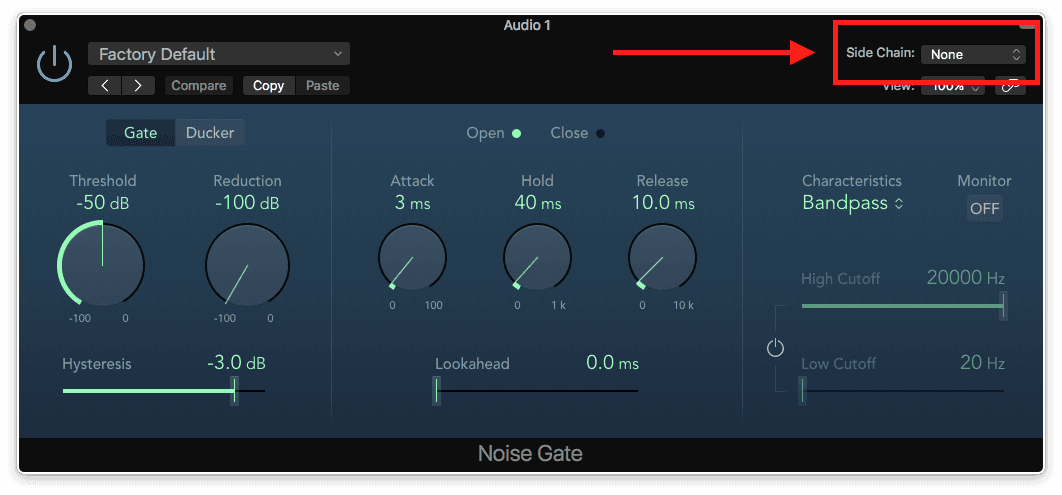
Side chain and Ducking
Here's an effect you've no doubt heard countless times- an instrument in a track (or lots of them) sounds like it's pumping in time with the beat. This is something that's often referred to as "side-chaining." Using one track as the trigger for an effect on another track is what we call a side-chain effect. It's quite common to hear "side-chain compression" as the blanket term for this effect, but side-chain can be used on a few different types of effect processors and can be anything from really subtle to quite over the top!
The way it works is as simple as was described above- make one sound listen to another sound and effectively 'trigger' the effect on the sound. So let's say you have a synth pad and a kick drum. The synth pad would host the effect - let's say a compressor in this case- and the effect would be 'listening' to the kick, instead of the synth pad, but acting and affecting the synth sound. Every time the kick hits, the synth will reduce in level, thus causing the pad to pump in time with the kick pattern.
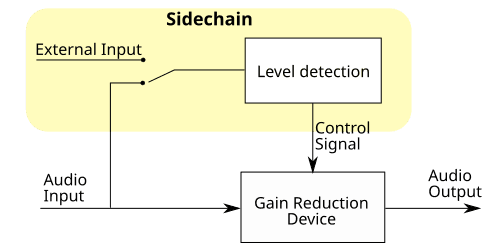
We know how to do most of the things we need to in this example- program a kick, make a synth pad, add a compressor- but there is one key ingredient that is missing: how do we setup side chain?
On plug-ins that allow for it, click the Side Chain Source pop-up menu in the plug-in header area, then choose one of the available sources.
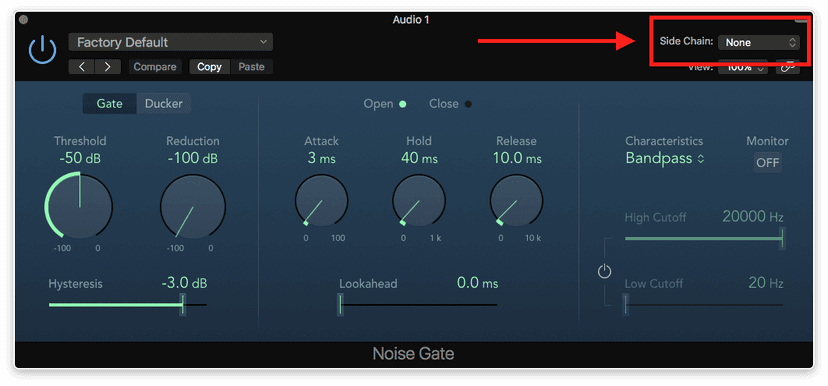
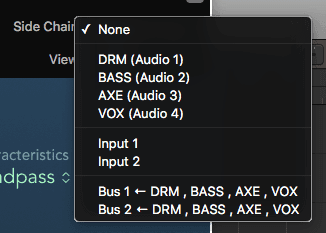
The audio signal from the selected side chain source now serves to control the plug-in. You can change external side chain sources, or select an internal side chain source if no external audio signal is available. Some third-party Audio Units plug-ins do not allow the side chain to be controlled internally, and so “None” replaces “Internal” in the Side Chain Source pop-up menu.
Something similar to side-chain with a compressor is ducking.
Ducking is a common technique used in radio and television broadcasting. When the DJ or announcer speaks while music is playing, the music level is automatically reduced. When the announcement has finished, the music is automatically raised to its original volume level.
As you've already seen, our Noise Gate in Logic provides ducking functionality, which is essentially the same thing a compressor would do when setup with a side chain input- reduce (or duck) the level based on the signal it's listening to.
A classic side chain scenario is a kick and bass are fighting for space in the low end of our production or mix.
Since both the bass and kick are low end instruments, they tend to get in each other’s way. To get a tight and powerful low end, side chain ducking/compression is one way to make things a little better down there, as bass notes tend to sustain while kick hits don't. Dropping the level of the bass makes was momentarily for the kick and your low end now sounds a lot tighter! Try this out with both the gate in ducking mode and the compressor- see if you notice a difference.
A very common snare trick is to have a blast of white noise under snare hits. The white noise tends to add aggression and sometimes brightness to your snare sound,
Open a new track and insert the Test Oscillator plugin on it. Open the Test Oscillator and set its mode to White Noise:
Then open Logic’s Gate on the same track. But this time, set it to Gate instead of Ducker.
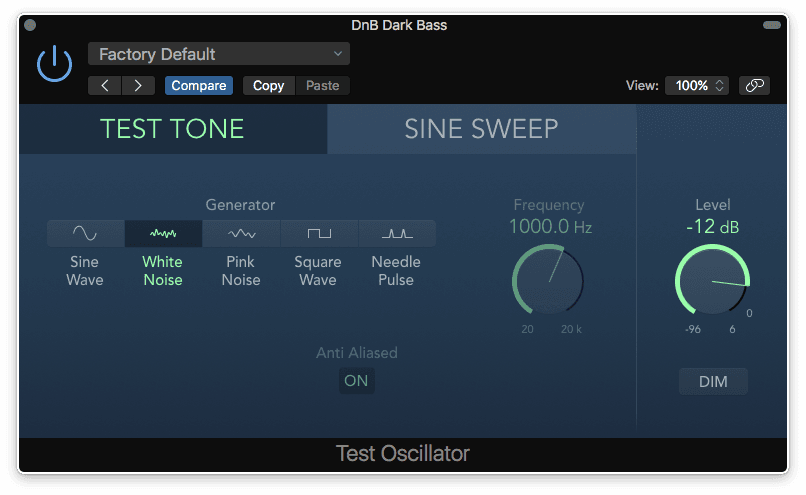
Select your Snare track as your side chain input. Play with the Threshold, but leave Reduction set at -100 dB.
Find the Threshold where the white noise only occurs when the snare hits, and adjust the Attack, Hold, and Release on the Gate to taste. And there you have one of the most common tricks in the book- this time employing the gate to open the sound of the noise up when your snare hits.
Also try this with a sine wave tone side chain gated to your kick- adding instant tone and fatness!
Not all Logic effects are Sidechain-able but another one worth mentioning which has this capability is the Autofilter.
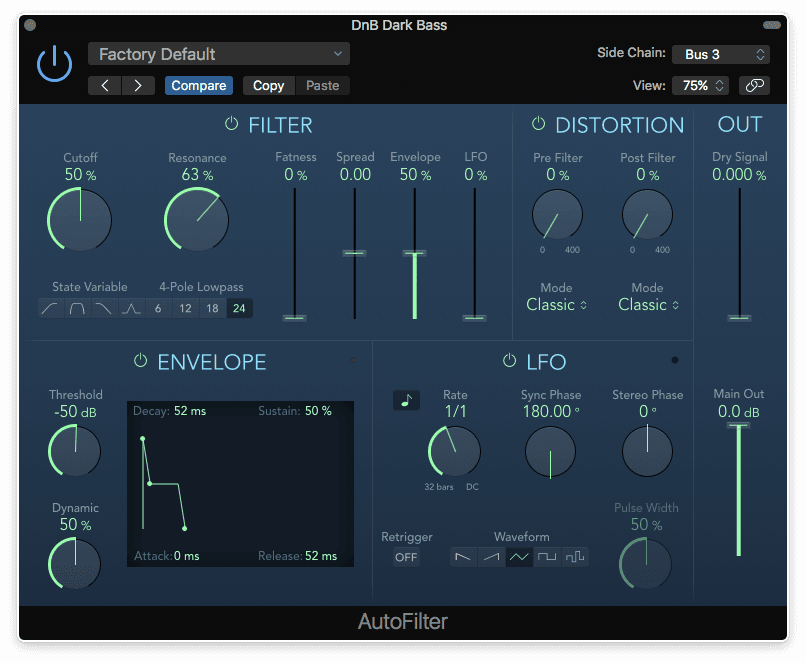
By Sidechaining Autofilter, you can have Autofilter do some awesome stuff.
Place Autofilter onto a synth track and choose a snare or kick track as your side chain input.
Start with the default settings and then play around with the parameters, for instance, try setting the Resonance to 50% so you can hear the effect more obviously.
Every time a drum hits Autofilter will react, giving you a much more interesting synth sound than you had in the first place!
Another effect worthy of mentioning here with side chain functionality is Fuzz-Wah. If you remember, this adds a distortion phase to the wah-wah effect from the EVD6 clavinet plug-in. The side-chain is used, with an envelope follower, to control the motion of the wah-wah filter. Setting the side-chain input to the same track into which the Fuzz-Wah is inserted results in a true auto-wah effect, but other side-chain sources give interesting results as well.
Finally, you must not forget EVOC PS! This is an instrument plug-in and is probably the most familiar vocoder model: MIDI input plays the polysynth, and the side-chain is used for the program (usually speech) input. EVOC TO is an effects plug-in which takes one audio input from the track on which it is inserted and another from the side-chain input. Either input can be analysed by a built-in pitch-follower to control the pitch of the built-in tracking oscillator. Alternatively, the tracking oscillator can be replaced by either audio input. Finally, either audio input can used as the analysed (speech) signal.
With so much to try out here, you're bound to have oodles of fun getting familiar with side chain, subtle or blatant, functional or creative!
Do this now
- Put a Compressor on a pad and set its side chain to the kick.
- Set a fast attack and a release that lets go before the next kick.
- Now do the same on a reverb return instead, so the reverb ducks under the vocal.
The second one is the trick that makes busy mixes sound clean.