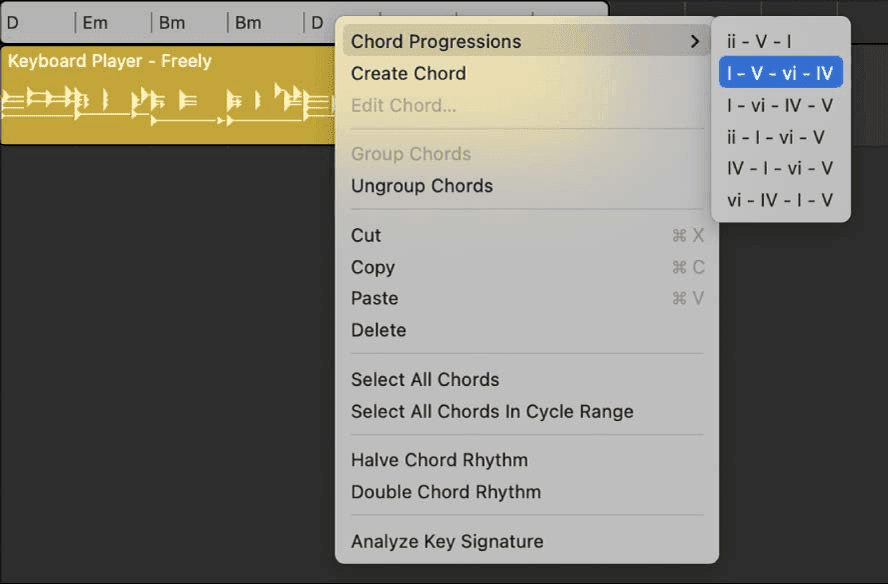
The Chord track is in the Logic Pro course. Two things go further: having Logic work out the chords from a recording, and letting one player ignore the Chord track and play its own.
Chord ID
Logic analyses an audio or MIDI region and writes the chords it finds.
- Open the global tracks and show the Chord track.
- Drag a region from the Tracks area onto the Chord track.
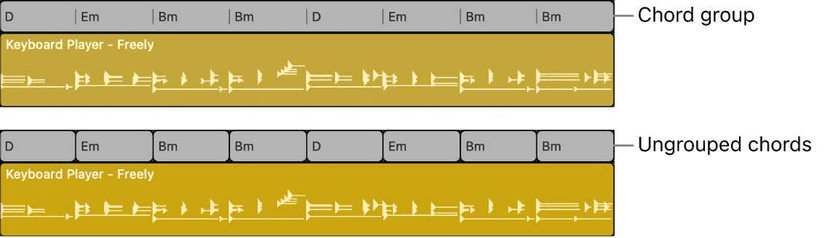
Logic analyses it and adds the chords as a chord group at the region's position. Drag several regions at once and you get a chord group per region.
Same job from the shortcut menu: select the regions, Control-click, then Chords > Analyze Chords. That writes the chords onto the *region* rather than the Chord track - a different thing, and the distinction matters in a moment.
In 12.3 the analysis got noticeably better on both single instruments and full mixes. If you tried this on an earlier version and gave up on it, try it again.
Analyse only part of a take
Turn Cycle mode on and only the chords under the cycle area are analysed when you drag the region over. Useful on a long take where the middle eight is the only part you actually want, and faster than analysing six minutes and deleting most of it.
Moving chords in both directions
- Apply Region Chords to Chord Track - promote what a region is playing so every other player follows it. Select several regions and each becomes its own chord group.
- Paste chords from the Chord track to a region - go the other way when one player should start from the song's harmony and then diverge from it.
Chords copy and paste between regions too, so a reharmonised chorus can be moved to the second chorus without re-entering it.
Region chords vs the Chord track
The rule is simple and worth stating exactly:
- A Session Player region containing region chords follows those, and ignores the Chord track.
- A region with no region chords follows the Chord track.
- You only see region chords when the region is set to follow them - so an empty-looking region is following the Chord track, not missing its chords.
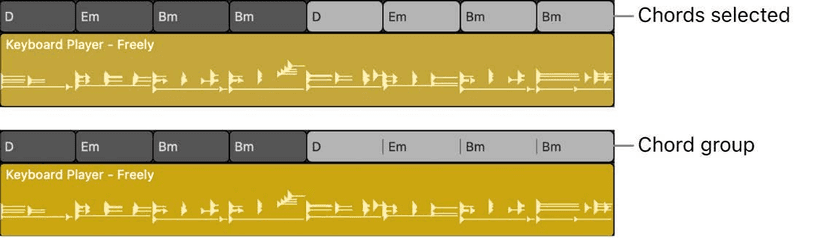
You edit region chords in the Session Player Editor, where they appear along the lower half of the region.
What this is actually for
This is the mechanism that stops an arrangement being four players hitting the same triad:
- Keys on extensions - 9ths and 13ths in the keyboard region while the Chord track stays plain, so the bass does not chase them up.
- A walking bass - region chords with passing notes the rest of the band never plays.
- A reharmonised chorus - one section's chords changed without touching the song's own progression, so the drums and the arrangement markers stay put.
- A guide part - analyse a demo, apply its chords to the Chord track, and build the real arrangement on top of what was actually played rather than what you remember playing.
The Edit Chord dialog, properly
Double-click any chord, on the Chord track or in the Session Player Editor:
- Type the chord as text using the same symbols Logic displays.
- Root Note changes the root without retyping the quality.
- An alternative bass note gives you slash chords - and it is specifically what the Keyboard Player's left hand will play.
- MIDI Input lets you play the chord on a controller and have Logic name it. With the dialog open, Tab moves to the next chord, so you can play a whole progression in.
On the Chord track, select a single chord rather than a chord group before using MIDI input, or nothing happens.
Finding the key
Analyze Key Signature in the Chord track's shortcut menu works out the key from a range of chords and writes it to the Signature track. Worth running early - new chords take their default quality from the project key, so getting the key right first saves correcting everything you add afterwards.
Do this now
- Take a recorded part whose chords you are not sure about and run Chord ID over it.
- Analyse only the bridge and see if it is in a different key.
- Push the detected chords to the Chord track and have a Session Player follow them.
This is the fastest way to learn what you actually played.