You just played the best version of that part and you were not recording. Logic was listening anyway.
Flashback Capture keeps what came in recently and turns it into a region after the fact. It works on MIDI whether the project is playing or stopped, and on audio during playback.
Get the take back
- Make sure the track you were playing is focused.
- Press Shift-R, or click the Flashback Capture button in the control bar.
A region appears at the playhead with what you played. The button is in the control bar by default in Logic 12, next to Free Tempo Recording, and it lights up when there is something to recover - dimmed means nothing was captured, so you can tell at a glance whether it is worth pressing.
What it captures
- MIDI notes and control change messages, always - so your mod wheel and sustain pedal come with the part.
- Volume, pan and plug-in parameter moves as well, during playback, if Record Automation with MIDI Regions is on.
- Audio, during playback only. Nothing is captured while the project is stopped.
In Cycle mode
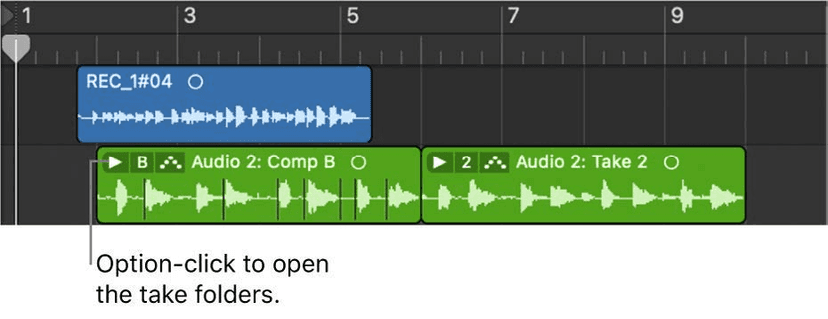
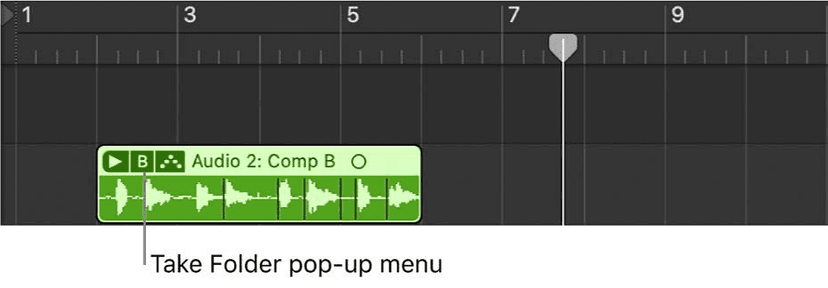
Each pass round the cycle becomes its own take region, so you can capture several laps of an idea and comp them exactly like a normal recording. This is the one that catches people out in a good way - you can noodle over a loop for five minutes, then keep all of it.
The catch worth knowing
When the project is stopped, a pause of about 20 seconds between notes discards everything before it.
And a shorter pause has a subtler effect: stop, play something, pause for a bar and a half or more, then play again, and the earlier notes are still captured but sit outside the visible part of the region. Drag the left region boundary out to expose them before you assume they are gone.
Audio capture has its own limits
Worth knowing before you rely on it:
- Playback only. Nothing is captured while stopped.
- The project must run for at least four seconds before there is anything to recover.
- One minute maximum. It is a safety net, not a recorder.
- Silence is not stored - it saves when there is signal on the track, so an idle input does not eat the buffer.
- It uses the last focused audio track's settings. If that track was set to stereo on inputs 1 and 2, that is what you get. Focus the track you actually want before you play.
To capture several sections, stop, move the playhead, and start playback again.
Two settings
- Flashback Capture MIDI in Stop Mode - Control-click the button to turn this off, and captured notes land at the playhead with no timing, each one tick long. Useful when you want the notes but not the rubato - a chord voicing you worked out rather than a performance.
- Smart Tempo set to Adapt - the project tempo follows what you captured, instead of forcing your playing onto the existing grid.
Where it fits in a writing session
The feature is aimed at a specific and very common failure: the version you play while deciding what to play is usually better than the one you play once you are recording.
- Leave a software instrument track focused while you are working on something else. Anything you noodle on the way past is recoverable.
- Loop eight bars and play over it without arming anything. Every lap is a take.
- After a take you scrapped, press Shift-R before you move on - the discarded performance is still in the buffer.
- When someone else is at the keyboard, capture rather than record. Nobody plays the same with a red light on.
Make it a habit
Press Shift-R before you say "that was the one". It costs nothing, it takes half a second, and it has saved more parts than it has any right to - particularly the ones played while you were still deciding what the part was.
Do this now
- Load an instrument and play for a minute without pressing record.
- When you play something you like, hit Capture Recording.
- Do it again in Cycle mode and see how much it kept.
The best take is usually the one before you started recording. This is how you keep it.