A Rack holds several device chains in parallel and gives you eight — or up to sixteen — macro controls over them. The parts most people never open are the zones, and they are where Racks stop being a folder and start being an instrument.
The three zones
Open the Chain List and there are three tabs above it. Each one decides *when* a chain is active.
- Key zones — the chain only responds to a range of notes. Bass sound below C3, pad above it, and one instrument covers the keyboard.
- Velocity zones — the chain only responds to a range of velocities. Soft hits play a brushed snare, hard hits play a rimshot. This is how sampled instruments sound played rather than triggered.
- Chain select zones — the chain responds to a position on the Chain Selector ruler. Map that to a macro and one knob crossfades between completely different sounds.
Each zone has a fade range at its edges. Without fades you get an audible switch; with them you get a crossfade, which is almost always what you want.
Macro variations
Macro variations are snapshots of all your macro positions, stored in the Rack. Set the macros somewhere good, hit the +, and you have saved that state. Build up eight of them and you can jump between eight complete settings of the same patch.
They are recallable from a MIDI controller, and they can be automated. That is a very quick way to get a device to change dramatically at a section boundary without automating eight separate parameters.
Randomising macros
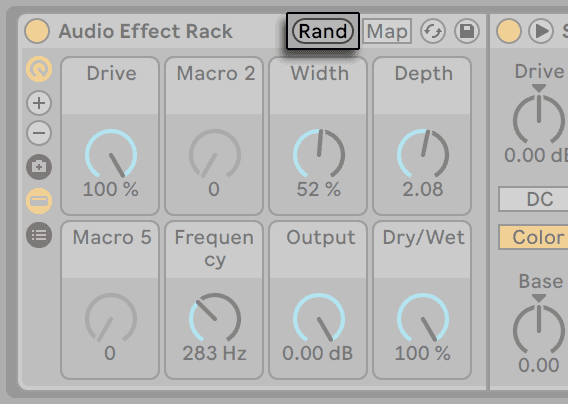
The Randomize Macros button does exactly what it says, and it is more useful than it sounds. Map macros to things that will not destroy the sound — filter, LFO amount, effect mix — and hit randomise until something surprises you. Then save it as a variation.
Extracting chains
Right-click a chain and Extract Chain pulls it out of the Rack as its own track or device, keeping its settings. Useful when one chain of an instrument rack turns out to be the good bit.
Do this now
- Build an Instrument Rack with three different sounds.
- Open Chain Select and give each a zone across the ruler, with overlapping fades.
- Map the Chain Selector to Macro 1.
- Set Macro 1 to three positions you like and save each as a variation.
- Now add velocity zones so the top chain only sounds above velocity 100.