A Follow Action decides what plays after a clip finishes. Used simply, it plays the next clip down. Used properly, it will generate structures you would not have written.
The controls
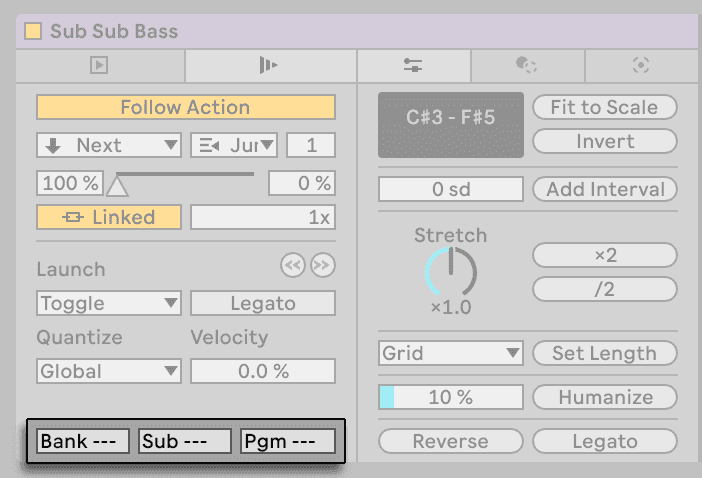
- Two actions per clip, each with its own probability — so a clip can go to the next one 80% of the time and somewhere else 20%.
- Follow Action Time in bars, beats or 16ths — it does not have to be the clip's length. A short action time on a long clip means it jumps before finishing.
- Actions: Next, Previous, First, Last, Any, Other, Jump to a specific clip, and Play Again.
Patterns worth knowing
A cycle. Three clips, each set to Next, the last set to First. They now loop as a group of three regardless of what the scene is doing.
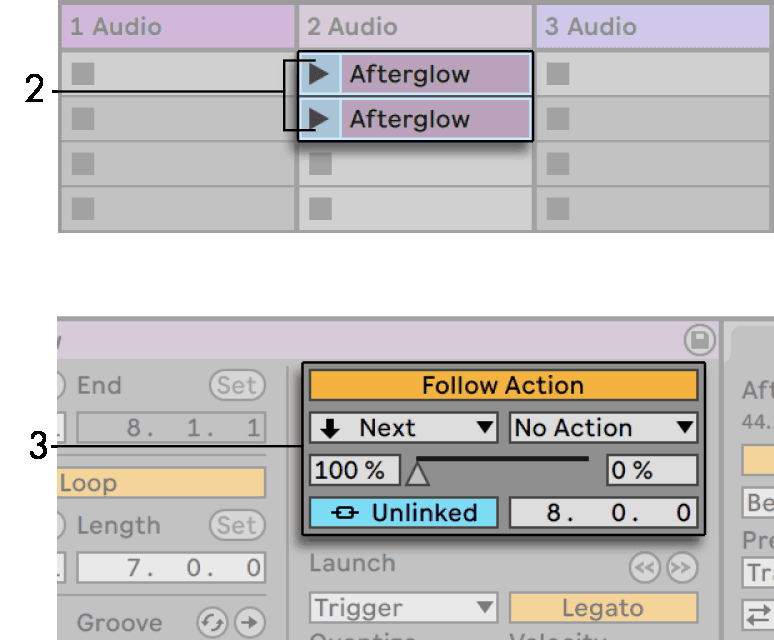
Non-repeating. Set several clips to Other with short, varying action times. Each one jumps to a different clip in the group, never itself. With four clips and different action times you get a pattern that takes a very long time to repeat.
Variations in sync. Two versions of a hat pattern, one plain and one with a fill. Set the plain one to Next at 80% probability and Play Again at 20%. The fill turns up roughly every fifth bar, but not on a schedule.
Temporary loops. A short action time with Play Again turns any clip into a stutter of itself — set it to 1/16 and a one-bar clip becomes a sixteenth-note repeat.
Scene follow actions
Scenes have Follow Actions too, which is how you build a set that advances on its own. Set to Longest the scene moves on when its longest clip finishes; set to Unlinked it moves after a time you specify.
A row of scenes each set to Next is a whole arrangement that plays itself while you perform on top of it.
Do this now
- Put four one-bar variations of the same drum pattern on one track.
- Select all four. Set Follow Action to Other, action time 1 bar.
- Launch one and leave it.
- Now set two of them to a 1/2 bar action time and listen to the pattern break up.
- Record the result into the Arrangement and consolidate the bits you like.